
Check first if you meet all the questions below:
- Is your SHS School classified as Private, SUC or LUC?
- Are your Learners’ previous schools categorized as Public, SUCs or LUCs?
- Have they completed their JHS last SY 2015-2016?
If YES, but still, your Learners were not tagged as QVR, please follow the instructions below:
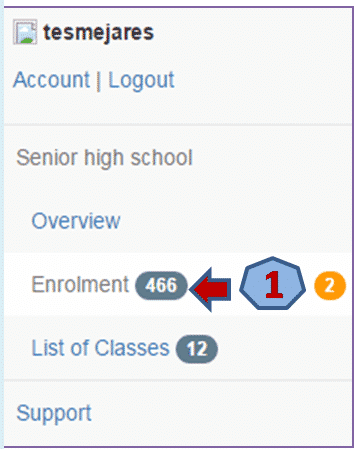
- In the SHS Dashboard, click the Enrolment
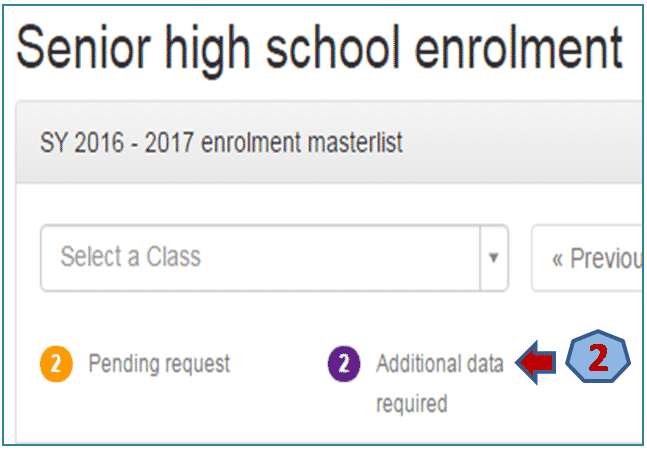
2. Click on the Additional data required link.
3. Select the Learner to complete the required information.
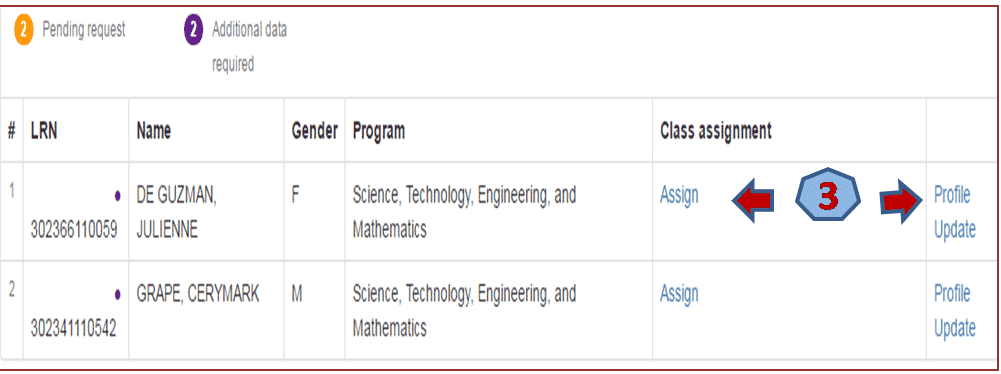
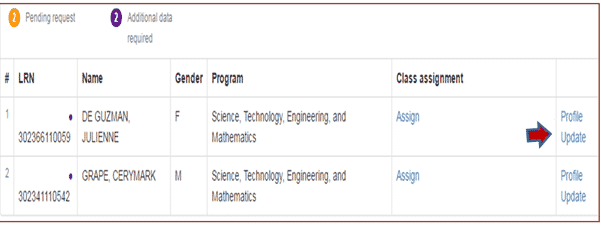
4. After completing the Learner’s information, click the Update Link.
5. On the Previous school name field, type the School Name or School ID where the Learner has completed his/her previous school year (2015 – 2016). Then, click the Update button.
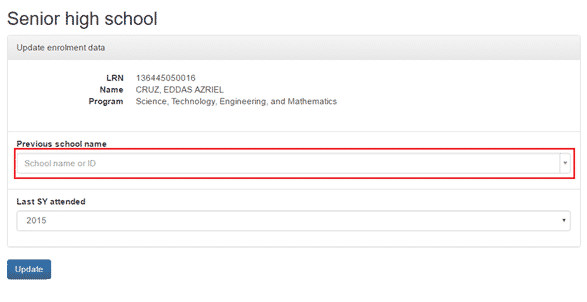
Important Instruction:
For those schools who have already submitted RF 11 to icts.usd@deped.gov.ph, please review your LIS account now.
If the requested Learners are not yet tagged as QVR, please update and provide required information using this facility. No need for the submission of RF 11 to the Central Office.
