Updates:
Read: How do I apply for a teacher position?
Read: DepEd Hiring Guidelines for the Remaining Teaching Positions SY 2015-2016
Read: DepEd Teacher 1 Hiring Process: It Sucks!
Read: DepEd Online Application System Frequently Asked Questions
All applicants shall register to the Department’s online system at application.deped.gov.ph, where they must encode their Personal Data Sheet and select the division where they want to be ranked. Once submitted, an Applicant Number will be issued. In the submission of application requirements, this Number must be indicated.
Had a problem getting your UAN? Good news to you since recently, the DEPED has just made it easier for the applicants who haven’t acquired their TIN (TAX IDENTIFICATION NUMBER) yet to register. Given the numerous complains received and posted online. You can now use any of these government IDs:
- SSS
- TIN
- PRC LICENSE
- POSTAL ID
- PHILHEALTH CARD
- GSIS UMID
- PASSPORT ID
- VOTER’S ID
How do I apply online?
- Register online at http://application.deped.gov.ph using your personal email address
- Regularly check your email for the verification notice within the next 48-hours. Your username and password is included in the email. Click ‘here’ to confirm that your email is working.
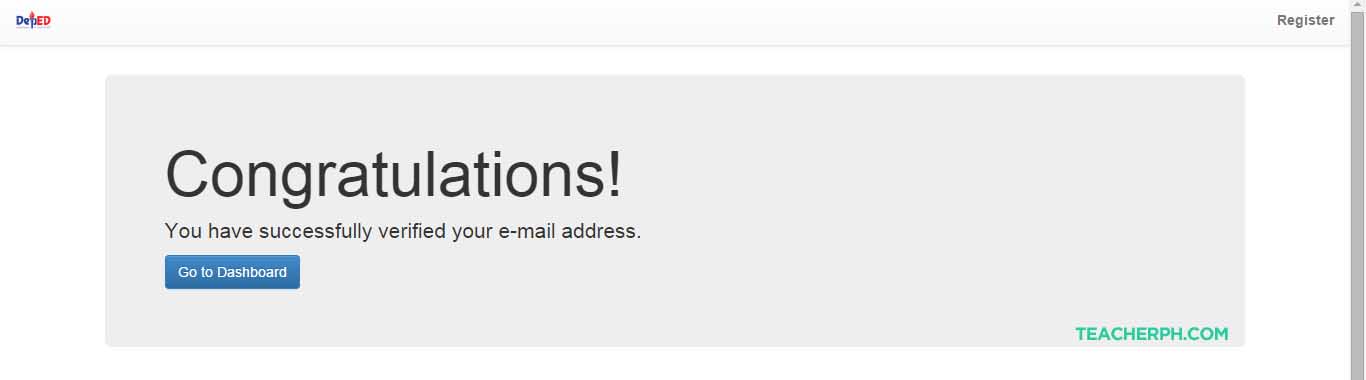
- Sign-in or Login to http://application.deped.gov.ph using your username & password.
- In Office level, teacher-applicants select [Division]
- In CO Strands/Region, teacher-applicants select [Region]
- In CO Bureau/../Division Office, teacher-applicants select [Division]
- In position, teacher-applicants select [Teacher I]
- Click Save.
- Click Next.
- Enter your data in the PDS. Click ‘Save’ button at the bottom of the screen before you transfer to another page / tab.
- Review data in all pages / tabs to make sure all encoded data are complete.
- Go to Reference page/tab then click ‘submit’. REMINDER: after you click the SUBMIT button, you can view your PDS but no longer edit it.
- Regularly check your email for your UAN within the next 48-hours.
- Include your UAN in your application / provide your UAN where necessary
Question: I just want to ask if the given Applicant Number, can it be used with other positions?
Yes. Each applicant is given only one (1) UAN valid upon application and for 1 school year if UAN starts with T, and valid for 1 year if UAN starts with N.
Question: Please send me the e-pds so i can print it together with my application number. / Bakit po until now wala pa rin po ung PDS na galing sa website nyo po?
We do not send to you your ePDS directly. The email that gave you your UAN also provided the link to download your ePDS (PDF version only).
Question: May ibang paraan po ba para makakuha kami ng application number? (Is there other means of acquiring the application number?)
No. There is no other way of acquiring the UAN except through the online application system because it is auto-generated upon submission.
Question: Saan ko po makikita yung application number ko? (Where can I find my application number?)
Your Unique Applicant Number (UAN) is seen in the following:
- Application Dashboard (written in GREEN TEXT)
- UAN email after you have submitted your application online.
- Upper right hand corner of the generated Personal Data Sheet. (The link is also
provided in the UAN email)
Question: Dun po sa sign Up application po mali po ung nilagay ko na TIN #. ok lng po ba un, at palitan ko na lang sa may PDS ko po?
(In the Sign-up application I entered a wrong TIN, is it ok to correct it in my PDS?)
You can input your correct TIN in the PDS.
Question: I can’t access my account. Your site always say I’m not registered yet but once I try to register again it says my email and tin already exist.
This happens when you have already registered your data but may have skipped or forgotten to check the verification email sent and proceeded to the login page. It is an important step to confirm that the email address you registered exist by clicking the word ‘here’. After which, you are directed again to the site to login. Please take note that the verification link is only valid for one click.
Question: How to correct the confirmation key? How to make it valid?
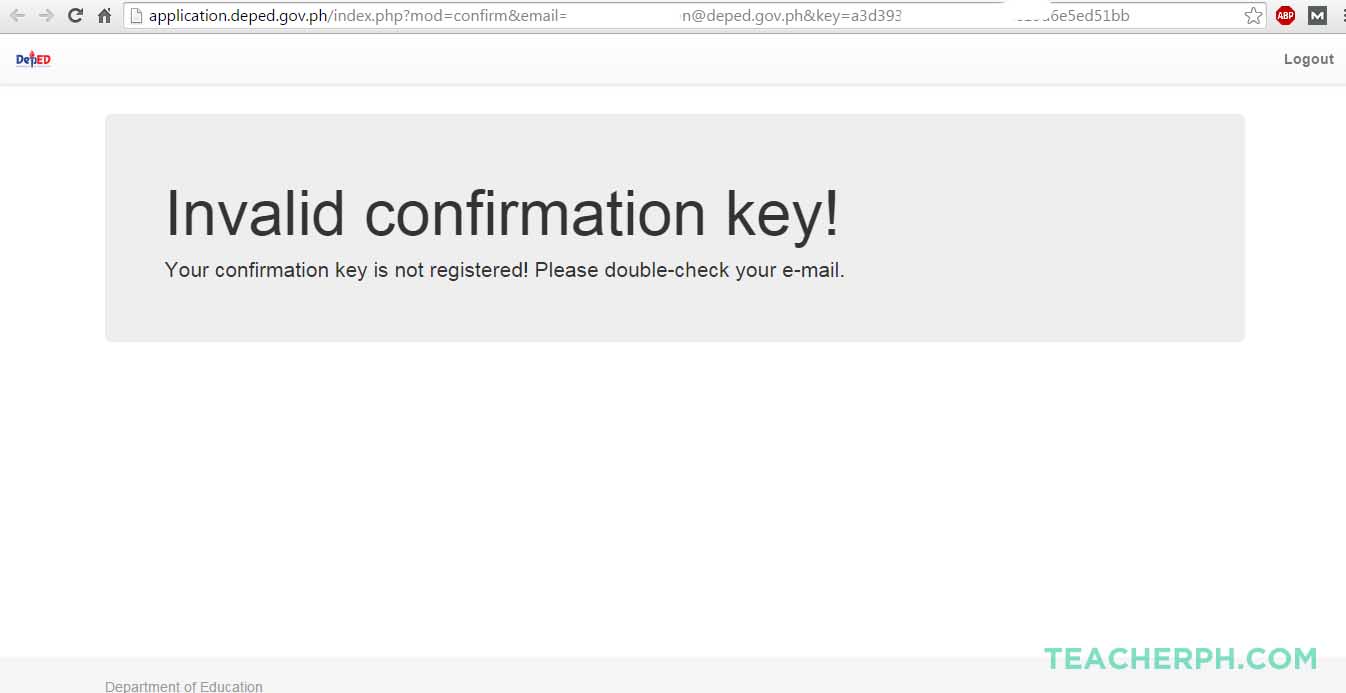
The link ‘here’ in the confirmation email sent to you after you successfully registered your data is only valid for 1 click. Clicking it again will cause this message. Send your complete name and email address to depedhris.twg@gmail.com with the subject REQUEST RESETTING OF PASSWORD.
Question: My work experience did not appear in my e-PDS, what should i do?? I tried to update it but still my work experience is empty. Pls. give me advice for this matter.
When encoding your work experience or any other data in your PDS, please refrain from typing in apostrophe (‘), quotes (‘ ‘), double quotes (“ “) and double dash (–).
Question: Hanggang kailan po ang deadline ng pagregister online? (When’s the deadline for the online registration?)
None. There is no deadline for the online registration. However, you need to abide by the deadline set by the Division Offices for the submission of your documents.
Question: Pwede po ba ako makarequest na maitransfer sa new account ko na _______ ang application number ko. Hindi ko n po ksi maopen yung nailagay kong email ad ko sa application.
This is a wrong assumption that the UAN is transferable and that a UAN can be issued to an email address that was never verified.
Question:
Hello DepEd PTS,
Your message “DepEd PTS e-Mail Verification” to me was waitlisted.
Get your message to my inbox by clicking the following link.
CLICK HERE
Thank you,
corinthian.donato@yahoo.com
P.S. …you’ll only have to do this once. Future emails will appear immediately in
my inbox.
Email addresses registered to apps like Boxbe prevents the DepEd email verification from
going straight to your inbox unless DepEd PTS register with Boxbe first. You may choose
to disable or unsubscribe to Boxbe or register again using a different email address and a
different ID number that is not subscribe to such application.
Question: I tried to register at http://application.deped.gov.ph/ but I was not able to receive verification through my email.
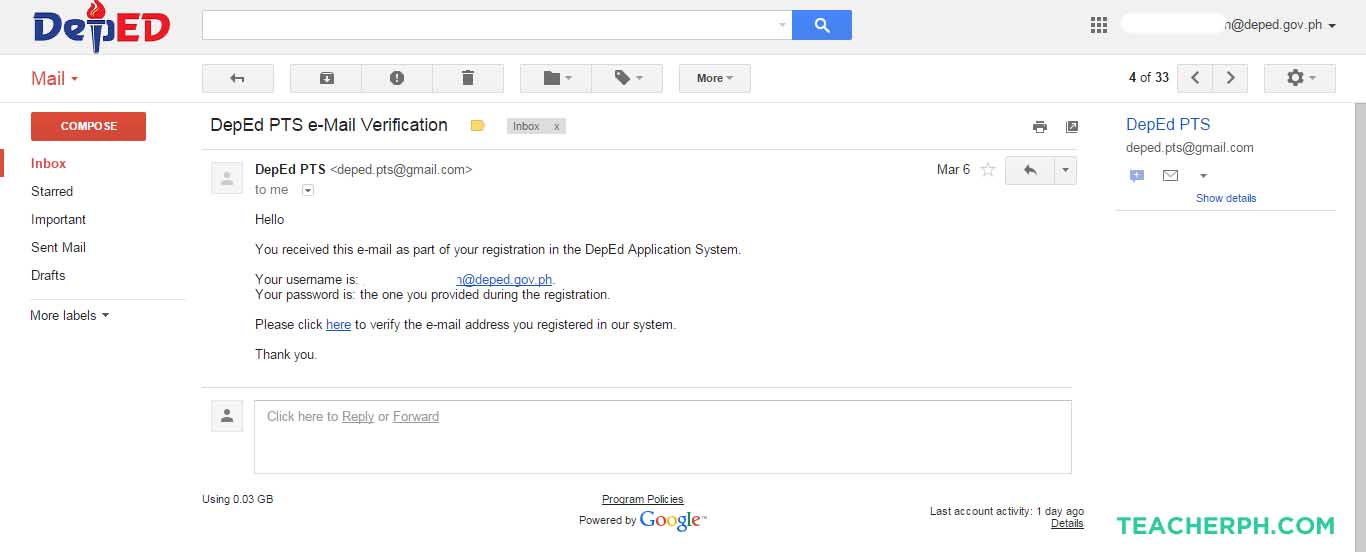
Please wait for the verification email within the next 48-hours. We experienced technical problems last Monday, March 30, 2015 that resulted to backlogs. If by Monday, April 6, 2015 no verification email had been sent, please email depedhris.twg@gmail.com with subject NO VERIFICATION EMAIL AS of April 6, 2015.
Question: I already encoded and submitted my PDS online but I was not able to receive my Unique Applicant Number (UAN).
Please wait for UAN in your email within the next 48-hours. We experienced technical problems last Monday, March 30, 2015 that resulted to backlogs. If by Monday, April 6, 2015 no UAN had been sent, please email depedhris.twg@gmail.com with subject NO UAN SENT AS of April 6, 2015.
Question: I am a new graduate, I don’t have a TIN. How can I apply online?
Teacher-applicants / Applicants without Tax Identification Number or TIN can register online starting Wednesday, April 8, 2015. Please be ready with any of the following IDs: Voter’s ID, Passport number, SSS number, GSIS number (or UMID Card number), Postal ID or PhilHealth ID.
You can get your TIN here: https://ereg.bir.gov.ph/ereg/welcome.do
BIR TIN ONLINE APPLICATION
Question: At first, I apply with a wrong email. I can’t verify my application. At the second time, my TIN is already used. What should I do?
Please register again, this time using a valid, existing and correct email address and TIN. Regardless if the TIN had been previously used in the registration, as long as it is not yet linked to a verified user the TIN remains available.
UAN is one of the requirements sa mga applicants. However, it should not be a hindrance/reason para hindi tanggapin ang applicaion ng isang applicant. It can be submitted to the Division Office as soon as they received it. The deadline that you set for your applicants should not be the deadline for submission of the UAN. You just have to make sure (maybe asking them for proof) that they indeed registered or already submitted online. Thank you. – Asec Mateo’s Office
Please be informed that you should be able to proceed with your application [submit documents, take the English Proficiency Test, undergo demonstration teaching and be interviewed] while your Unique Applicant Number (UAN) is still being processed. However, you are expected to submit your UAN to the Division Office as soon as you receive it via email or in your dashboard.
REMEMBER:
- Carefully fill out each field. Do not write “-NA-” just leave the fields (to which you don’t have answer to) blank.
- Use an active email address (preferably which is after your name) so that you can easily monitor and see the confirmation number they will send you.
- IF you haven’t received any confirmation/verification yet, try to have a look at the SPAM folder as some free email account services automatically filters some emails and considers it as a SPAM.
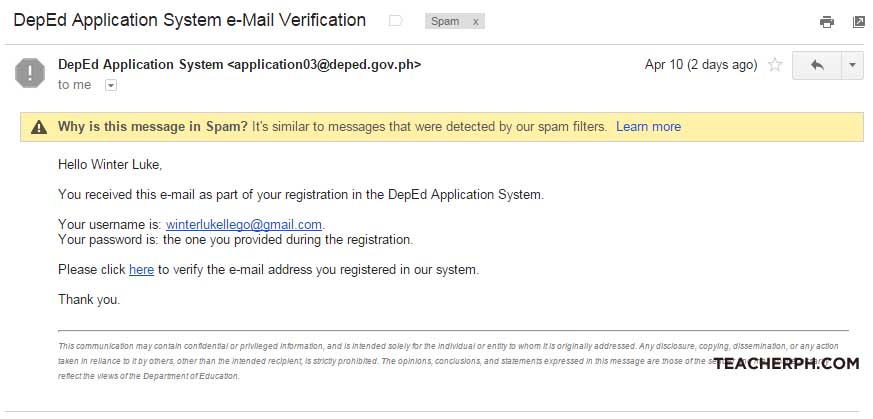
- If it has been days passed since submitting your application form online and you haven’t received any confirmation mail yet, you can send your queries to depedhirs.twg@gmail.com. The subject of the mail must be NO UAN SENT as of APRIL (date).
- If you have inputted the wrong data on PDS and could not change it, you can have it corrected by sending an email to depedhirs.twg@gmail.com. The subject of the email must be DATA CORRECTION. Make sure to give your complete name.
Update: April 15, 2015
To all DepEd Teacher Applicant waiting for their verification email:
- PLEASE register ONE (1) email address only.
- Verification email cannot get through because you have an active email filtering service like Boxbe.
- Your registered using a nonexistent email account (eg. you entered/typed in your own @deped.gov.ph / @gmail.com / @yahoo.com account in the email address; the online registration is to create an account using an email address you’re already using. We will not issue / create a new one for you)
- You registered an incorrect email address (eg. [a] your email is yourname@gmail.com, you registered yourname@gmial.com; [b] your email is yourname@yahoo.com.ph, you registered yourrname@yahoo.com.ph (take not of the double ‘r’);
- Please do not use another person’s email address, please CREATE YOUR OWN.
- Please do NOT send email EVERY OTHER MINUTE to follow up. Remember: Patience is a virtue.
I always experience a 404 error on my browser. What causes this and how should I get rid of it?
Some issues that you encounter with your DepEd Online Application can be solved by changing your browser settings, refreshing the page, or clearing the browser cache and cookies.
Force Refresh
A force refresh or reload will cause the browser to re-check with the web server to make sure it has the latest copy of the web page you are viewing. Here are keyboard shortcuts for force refreshing your browser:
- Windows: Ctrl + F5
- Mac/Apple: Apple + R or Cmd + R
- Linux: F5
Clearing Your Browser Cache
If you are experiencing problems displaying DepEd Online Application Website, clearing the browser cache is a good first step to try to resolve the issue.
Each time you access a web page, your web browser stores a temporary copy of the files needed to display the web page to you. Those temporary files are called the browser cache. If your cache is not updating properly or if it’s stuck, you could be viewing an older version of some of the supporting files that run DepEd Online Application Website. If you clear the cache, this will force your browser to fetch all of the files for a website again, so you will see the most recent version of the page.
Instructions for clearing your browser cache will be different for each browser and version.
Note: It is also possible for your Internet Service Provider to create a cache at the network level. This means that instead of viewing the WordPress.com web servers for some files, the ISP has created a cache to store files on their network to try to reduce bandwidth costs and also to make loading some web pages faster.
More Troubleshooting
If you are still having trouble, here are a few more things you can try:
- Upgrade your browser and Flash Player to the latest version available.
- Try an alternate browser. If it works, then the issue is with the browser settings. Look for troubleshooting tips on your browser’s support documentation.
- Try an alternate computer in the same location. If another computer works, then the issue is computer settings on the first one.
- Try an alternate location that has a different Internet Service Provider. If it works, the issue is with your local network.
Spread this info! Help your friends and fellow applicants make it to the desired position both of you are seeking after. ALL THE BEST!
Update: 2017 DepEd Online Application System for Teacher Applicants


Leave a Reply